Managing a GFI Unlimited Subscription
GFI Unlimited is a subscription option that unlocks access to a wide range of software available on the GFI library, through a single subscription. It provides you the competitive advantage of powering your business needs through one simple and powerful system.
GFI partners can manage GFI Unlimited subscriptions acquired by their customers from the GFI Accounts Portal:
- Login to the GFI Accounts Portal
- Go to Manage > Subscriptions.
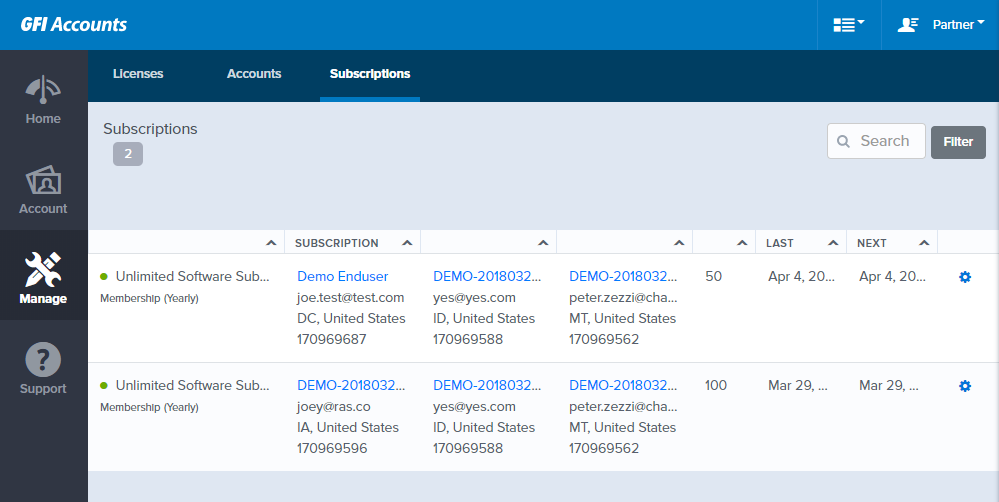
Subscriptions node on the GFI Accounts Portal
The subscription page contains relevant information about GFI Unlimited subscriptions:
| Field | Description |
|---|---|
| Subscription | The subscription type, status, and duration. |
| Subscription Owner | The end user who owns the subscription. |
| Broker | Reseller to whom the end user is linked to. |
| Invoice Owner | Distributor to whom the reseller is linked to. |
| Seats |
Number of users or devices supported by the license. |
| Last Billing | Date when the last bill was settled. |
| Next Billing | Date when the next bill is due. |
Navigate to  and choose View Details to activate a product through the customer's GFI Unlimited license.
Activating a product license through GFI Unlimited
For a customer to utilize a GFI Product through their GFI Unlimited subscription, that product must be activated. The activation process generates a license key that can be used to install and run the software.
GFI Unlimited product activation can be done either by the customers themselves from the GFI Accounts Portal, or by the GFI partner on behalf of the customer.
New product installation
Existing product upgrade