Configuring encryption
EncryptionEncryption is the conversion of standard data into ciphertext with the aim to protect the confidentiality of data stored making it unreadable to third-parties, but available for those authorized to decode it with the correct key. plays an important role in security because it ensures that information that could be intercepted by non-authorized third-parties is not accessible. Peripherals like USB sticks can be easily misplaced and cause facilitated data loss.
GFI OneGuard EndPoint Controls enables you to configure settings specifically catered to encrypted devices, ensuring that only users with the necessary clearance can get access to the data stored in a device.
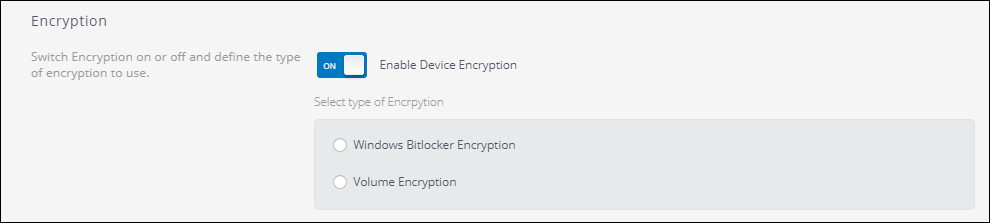
Encryption methods available
There are two types of encryption available:
- Microsoft BitLockerAn encryption feature that can be enabled on machines that are using an Windows Operating System.
- Volume Encryption
 Configuring Microsoft BitLocker
GFI OneGuard can detect storage devices encrypted with Microsoft BitLocker. When this option is selected, the encryption is performed by the operating system. This option only enables you to configure different permissions on such devices.
To enable Microsoft BitLocker detection:
- Login to the GFI OneGuard PlatformThe main component of GFI OneGuard that connects all the services offered by the product and the database that stores all collected information..
- Go to Manage > DevicesMachines connected to a network that have been discovered by GFI OneGuard..
- Select the entire Network or a specific group.
- Go to Services > EndPoint ControlService used by GFI OneGuard to control access to devices.
- Click Add Rule.
- Under Encryption Turn On Enable Device Encryption and check Windows BitLocker Encryption.
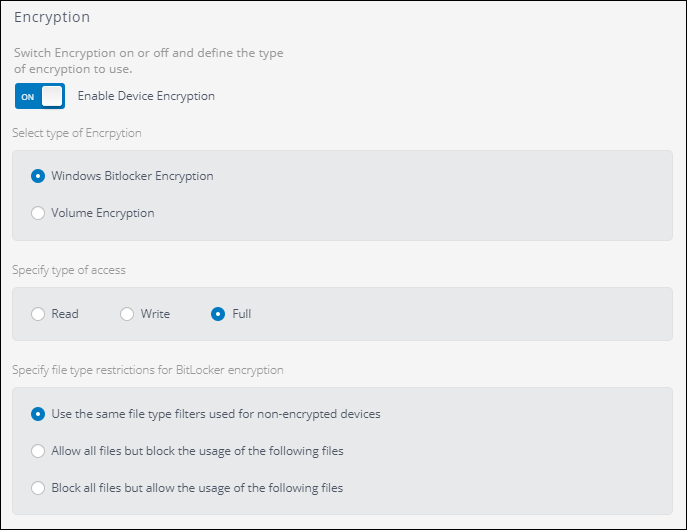
BitLocker encryption options
- Specify the type of access the user should have to the device. The options are:
| Option | Description |
|---|---|
| Read | User can open the files, but cannot edit or delete them. |
| Write | User can open and edit files. Users cannot run executable files. |
| Full | Full permissions including running executable files. |
- Specify the type of restrictions for file types. The options are:
| Option | Description |
|---|---|
| Use the same file type used for non-encrypted devices | When this option is select the settings for the file type filtering used in the policy is applied. |
| Allow all files but block the usage the following files | This option overwrites the file type settings of the policy and allows all the files except those listed. |
| Block all files but allow the usage the following files | This option overwrites the file type settings of the policy and blocks all the files except those listed. |
- Click Apply.
Configuring Volume Encryption
Volume Encryption enables you to encrypt the contents of USB devices using AES 256 encryption. When volume encryption is enforced, users must provide a password to encrypt or access storage devices data.
To enforce Volume Encryption on installed agentsA GFI OneGuard component that runs as a background service on target devices and handles the deployment of patches, service packs and software updates.:
- LLogin to the GFI OneGuard Platform.
- Go to Manage > Devices.
- Select the entire Network or a specific group.
- Go to Services > EndPoint Control
- Click Add Rule.
- Under Encryption Turn On Enable Device Encryption and check Volume Encryption.
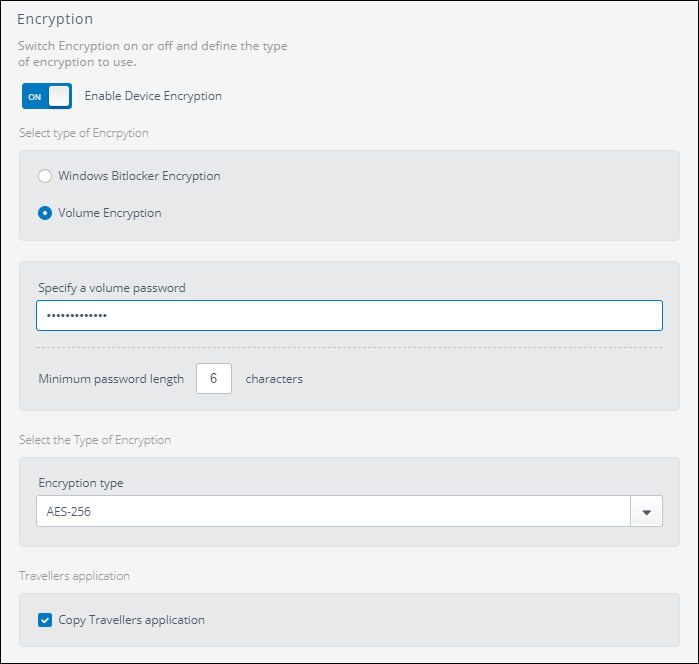
Volume encryption options
- Enter a password under Specify a volume password. This is the administrator password that is required to reset a password of a device if the user loses it.
- Enter a numeral under Minimum password length. That value is applied when the user enter a password when encrypting a new device.
- Select the Type of Encryption. The options are:
| Option | Description |
|---|---|
| AES-128 | This encryption algorithm is less secure, but uses less disk space for the encryption and the process of initial encryption is completed in less time. A better option for devices with little disk space. |
| AES-256 | This encryption algorithm is more secure, but uses more disk space for the encryption and more time for the initial encryption. A better option when security is a concern and there is enough disk space. |
- Check the option to Copy Travellers application to enable this feature. The Traveler Application enables users to access encrypted content when they are away from the office and in locations where the EndPoint Control agentA GFI OneGuard component that runs as a background service on target devices and handles the deployment of patches, service packs and software updates. is not installed.
- Click Apply.