Disabling Asset Tracking
By default, Asset TrackingAn inventory of the software and hardware installed in the network. is enabled when GFI OneGuard is installed.
To disable or re-enable the Asset Tracking on the system or in individual groups:
- Log in to GFI OneGuard and go to Manage > Services.
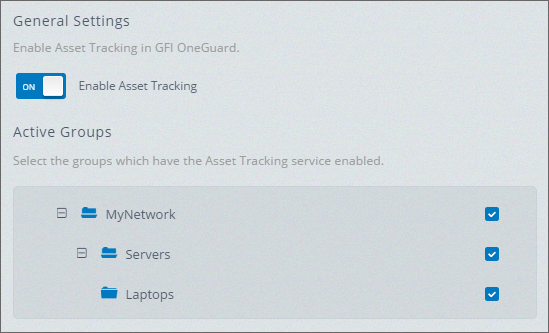
Asset Tracking service settings
- From the menu on the left, click Asset Tracking.
- In General Settings, click the switch to enable or disable the service from the system. You will need to confirm this action in an additional screen.
- In the Active Groups area, uncheck the groups, which have the service enabled.
- Click Save Settings in the top yellow bar to save your changes.