Viewing access permissions
GFI EndPointSecurity enables you to view all permissions assigned to Active DirectoryA technology that provides a variety of network services, including LDAP-like directory services. (AD) users and/or user groups. You can do this on a policy-by-policy basis.
When a device category or connectivity port is not set to be controlled by the particular security policy, the relevant permission is disabled. For more information, refer to Configuring controlled device categories or Configuring controlled connectivity ports.
To view all permissions assigned to users in a protection policy:
- Click Configuration tab > Protection Policies.
- From Protection Policies > Security, select the protection policy to configure.
- Click Security. In the right pane you can view all the set permissions for this protection policy.

Protection Policies sub-tab - devices view
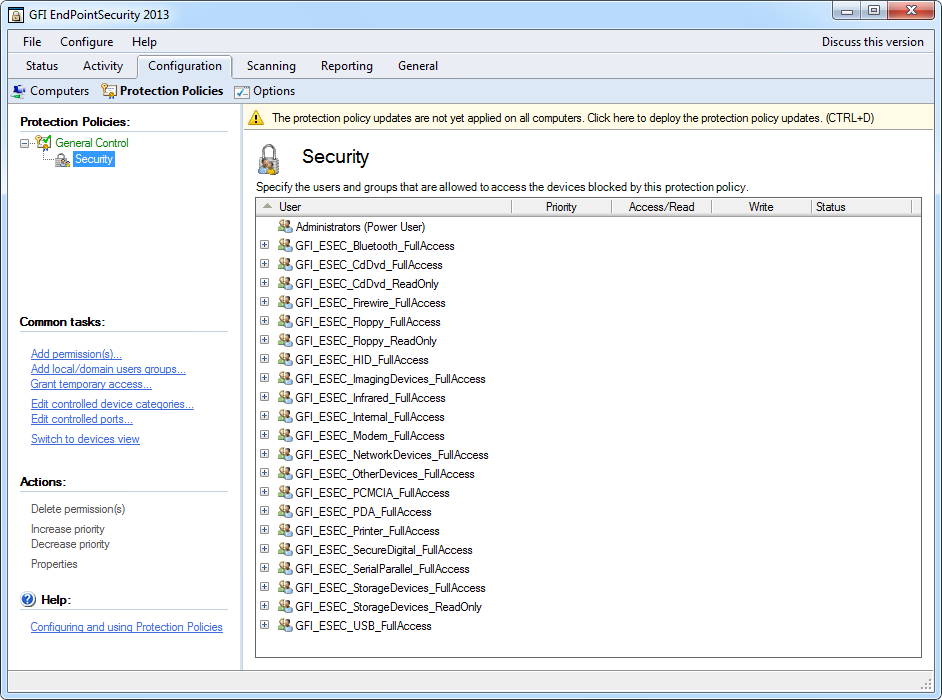
Protection Policies sub-tab - users view
- From the left pane, click Switch to devices view or Switch to users view in the Common tasks section, to switch grouping of permissions by devices/ports or users.