Configuring controlled connectivity ports
GFI EndPointSecurity enables you to select which supported connectivity ports should be controlled or not by a protection policy. You can do this on a policy-by-policy basis.
Note
Unspecified ports will be fully accessible from the target computers covered by the protection policy. As a result, GFI EndPointSecurity cannot monitor and block devices connected to a port that is not controlled by the protection policy.
To configure which ports will be controlled by a specific protection policy:
- Click Configuration tab > Protection Policies.
- From Protection Policies > Security, select the protection policy to configure.
- Click Security.
- From Common tasks, click Edit controlled ports….
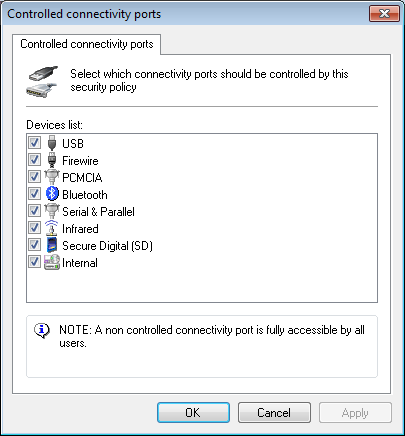
Controlled connectivity ports options
- From the Controlled connectivity ports dialog, select/unselect the required connectivity ports that will be controlled by the protection policy, and click OK.
To deploy protection policy updates on target computers specified in the policy:
- Click Configuration tab > Computers.
- From Common tasks, click Deploy to all computers….