Locating an account
The GFI Accounts Portal brings a search engine that helps find the customer account associated with a license. This is useful, for example, when a customer attempts to activate the license of their product, but they do not know the details of their login account.
To use the search in the Accounts Portal:
- Login to the GFI Accounts Portal.
- Go to Manage > Licenses.
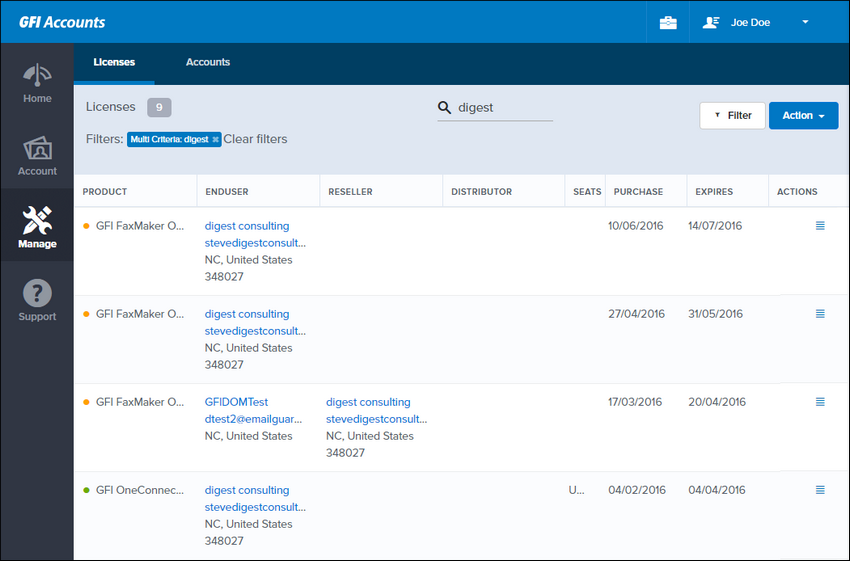
Search function
- In the Search field, type the company name of your customer account.
- In the ENDUSER column, locate the email address associated with the account.
To access the GFI Accounts Portal, a customer can use the email address found under ENDUSER as their account username. If the client does not remember their password, they can reset it. For more information refer to Resetting a password.
NOTE
If you cannot find your customer account, or you do not see their license, contact your distributor.