Configuring file options
GFI EndPointSecurity enables you to specify the options required to block or allow files based on size. GFI EndPointSecurity also enables you to ignore large files when checking file type and content and archived files.
- From GFI EndPointSecurity management console, click Configuration tab > Protection Policies.
- From the left pane, select the protection policy for which you want to specify file options restrictions.
- From the right pane, click File options in the File control section.
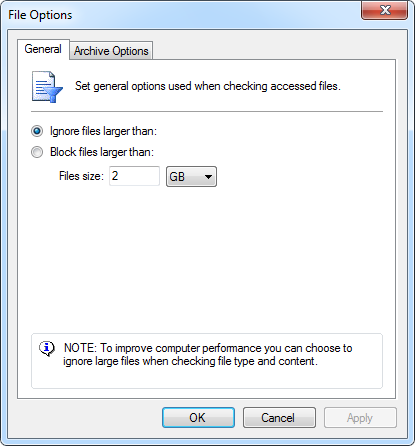
File options
- In the File options dialog select from the following options:
| Option |
Description |
|---|---|
| Ignore files larger than: | Ignores files larger than the specified size when checking accessed files |
| Block files larger than : | Blocks files larger than the specified size when checking accessed files |
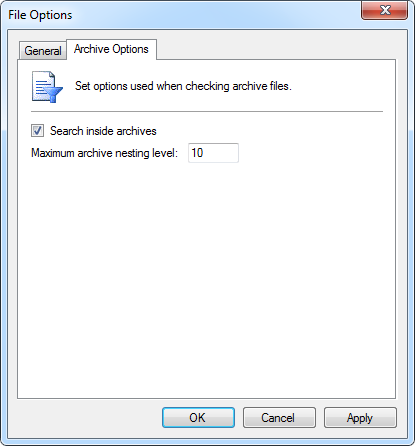
File-type Filter and user options
- From the Archive Options tab, enable / disable Search inside archives and specify the archive nesting level to use when checking archive files.
- Click OK.